Where your AI coding budget actually goes.
Usage, spend and waste analytics for AI coding tools. An agent on each machine reads your Claude Code and OpenCode history and pushes metrics, not conversations, to a server you control.
Pre-release. Claude Code and OpenCode today. One email when the team tier ships, nothing else, ever. Or write to hello@overspill.dev.
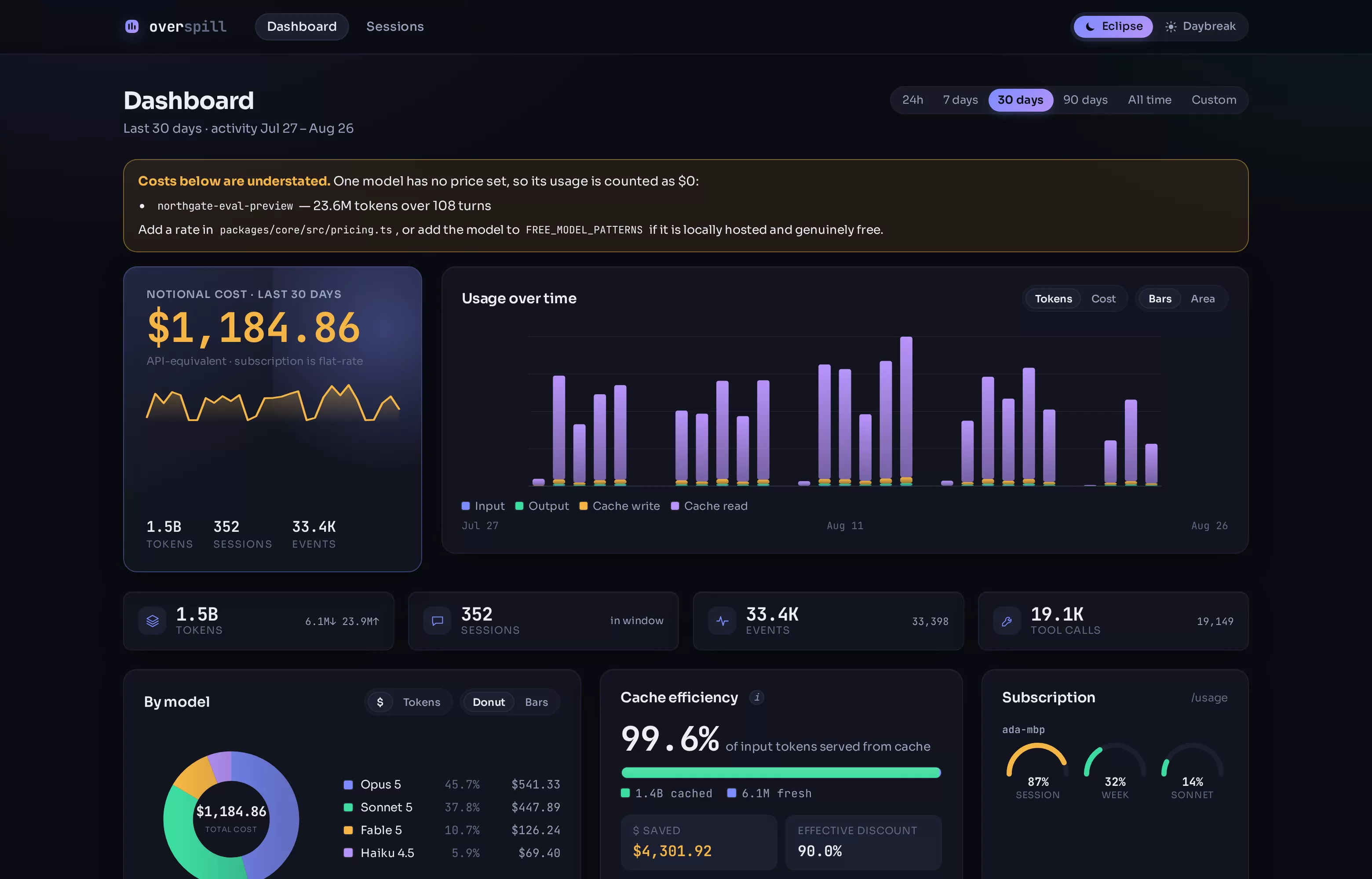
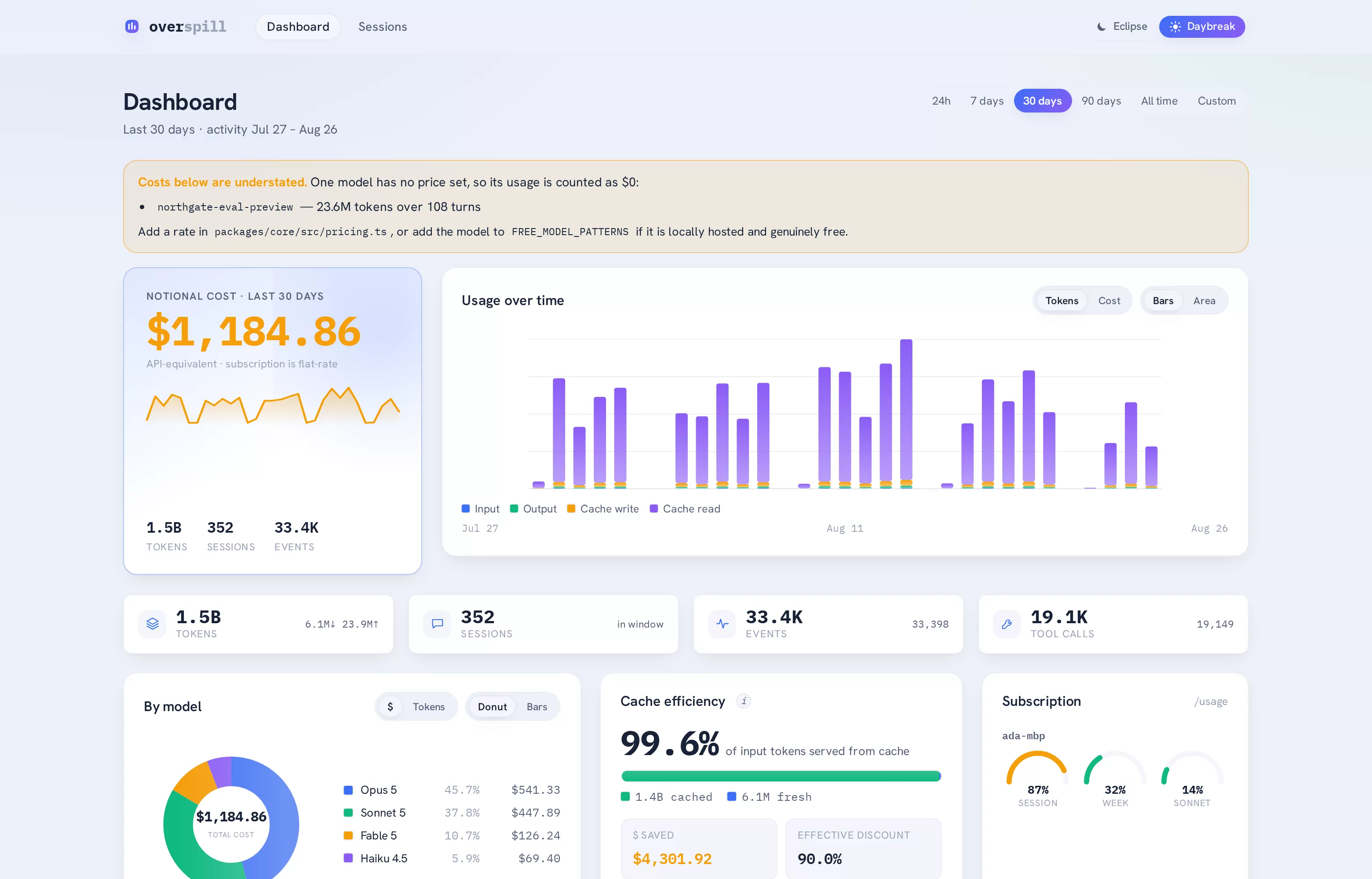
01 The dashboard
02 The problem
Nobody can tell you where it went.
One developer on a flat-rate plan has notional spend and one real question: will I hit my weekly limit?
A team is a different problem. Claude Code on Max plans, Cursor on seats, a couple of API keys someone expensed. The spend is real, it is invoiced, and the invoice does not say which project, which model, or which of the four things you are paying for actually did the work.
The usual answer is to hand a vendor your source code in exchange for a chart. Overspill answers the question without that trade.
-
Flat-rate hides the shape
A subscription bills the same whether a session cost a penny or twenty pounds. The usage is still there in the transcript; it is simply never priced.
-
Four tools, four dashboards
Each vendor shows you their own slice. Nobody shows you the total, per project, per person, on one axis.
-
The privacy tax
Most analytics want the conversation to compute the metric. It does not need the conversation, and asking for it is what stops the tool getting installed.
03 How it works
Three commands, then it keeps itself current.
Claude Code already writes a full transcript of every session to your disk. Overspill reads those files where they are, extracts the numbers, and forgets the rest.
Point the agent at your server
login checks the address and the token before it writes anything, so a
typo fails now rather than silently on the first sweep.
Import what is already there
backfill reads every transcript on disk, including the subagent runs
where much of your Sonnet and Haiku usage actually lives.
Let the hook keep it fresh
hook install registers a Claude Code Stop hook that sweeps
incrementally after each turn. Additive, idempotent, and reversible.
# on each machine where you use Claude Code
$ npm install -g overspill

$ overspill login --url https://spend.acme.dev --token $TOKEN
  ✓ server reachable · token accepted · capture level metadata

$ overspill backfill
  ✓ 66 transcripts · 4,641 events · 1,285 tool calls · 0.27s

$ overspill hook install
  ✓ Stop hook registered · settings.json backed up
What actually leaves the machine
Token counts, model ids, timestamps, latencies, tool names, error flags and the project directory. That is enough to compute every number on the dashboard.
Not your prompts, not the model's replies, not the contents of your files, not your shell commands. Those are never read into the payload at the default capture level, and the server refuses to store them regardless of what an agent sends.
Node 20 or newer for Claude Code, Node 22.5 or newer for OpenCode. Nothing to clone, no jq, no Docker required on the developer's machine, only on whatever runs the server.
04 What you see
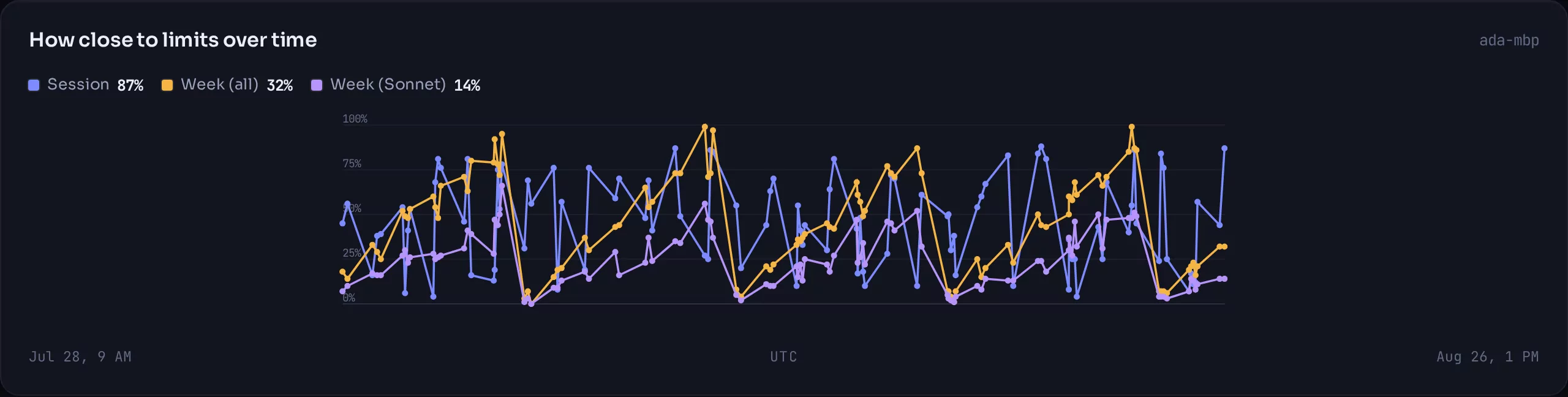
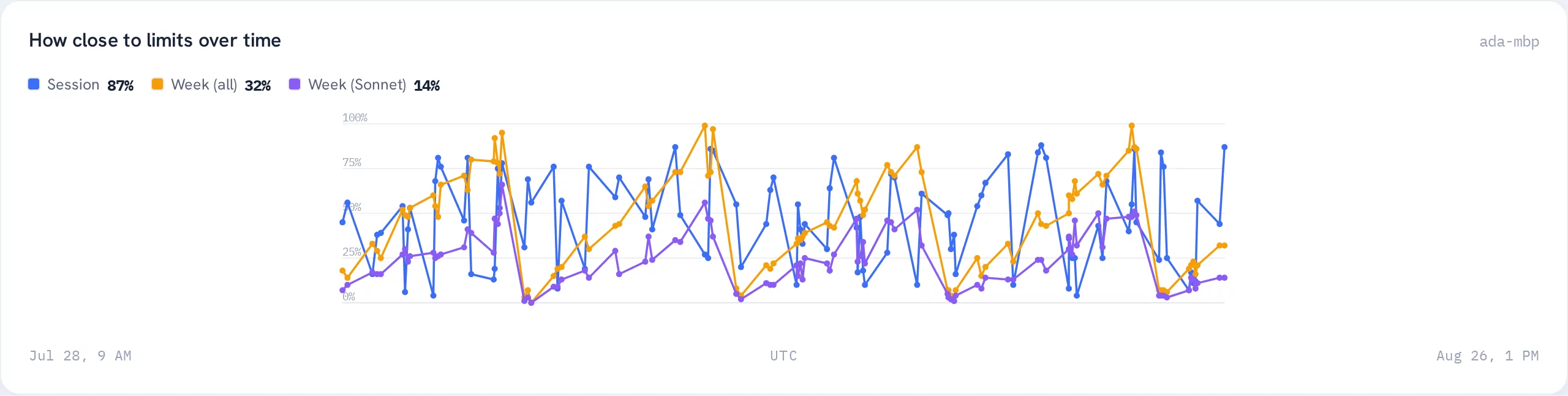
A dashboard that answers questions, not one that shows numbers.
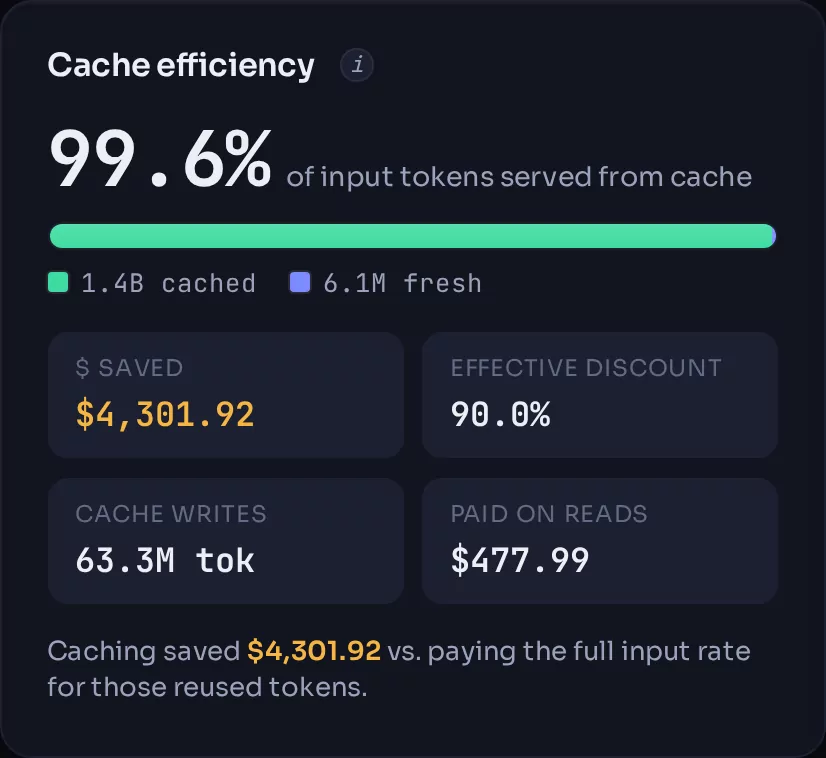
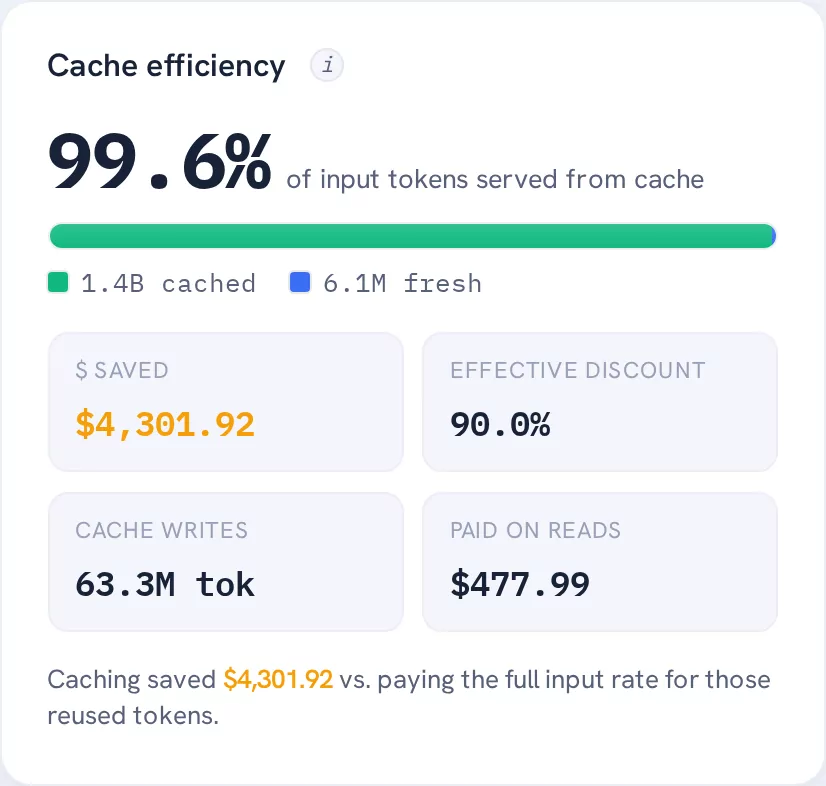
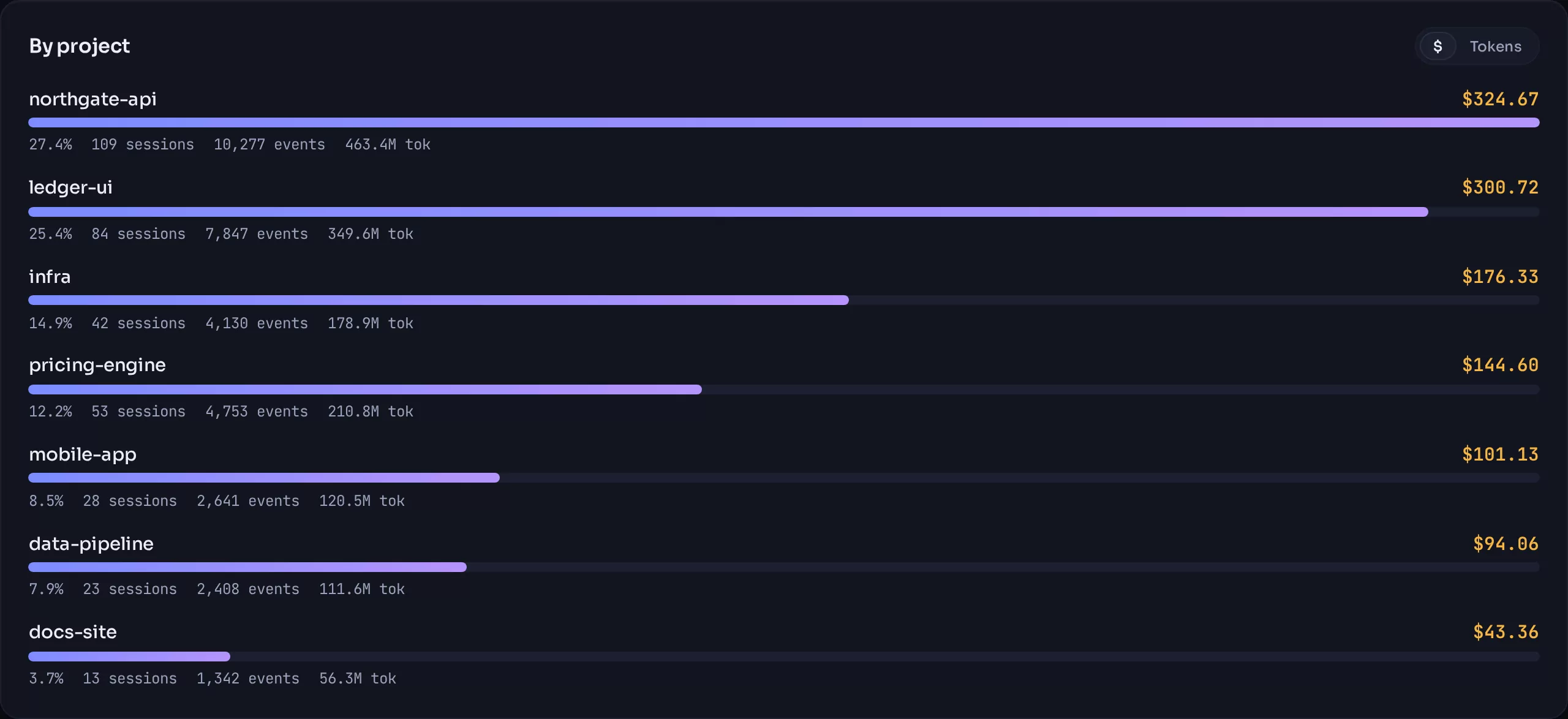
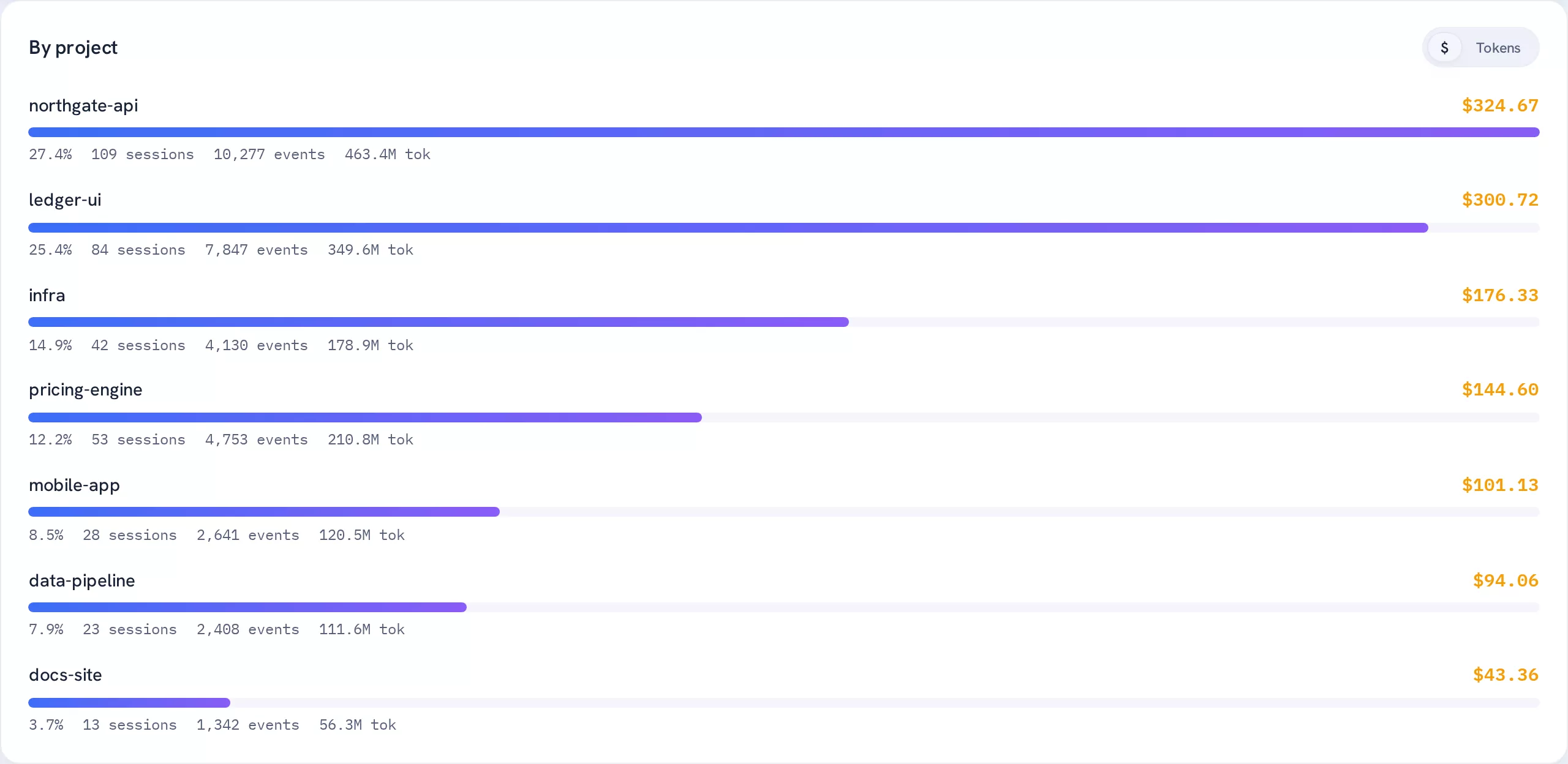
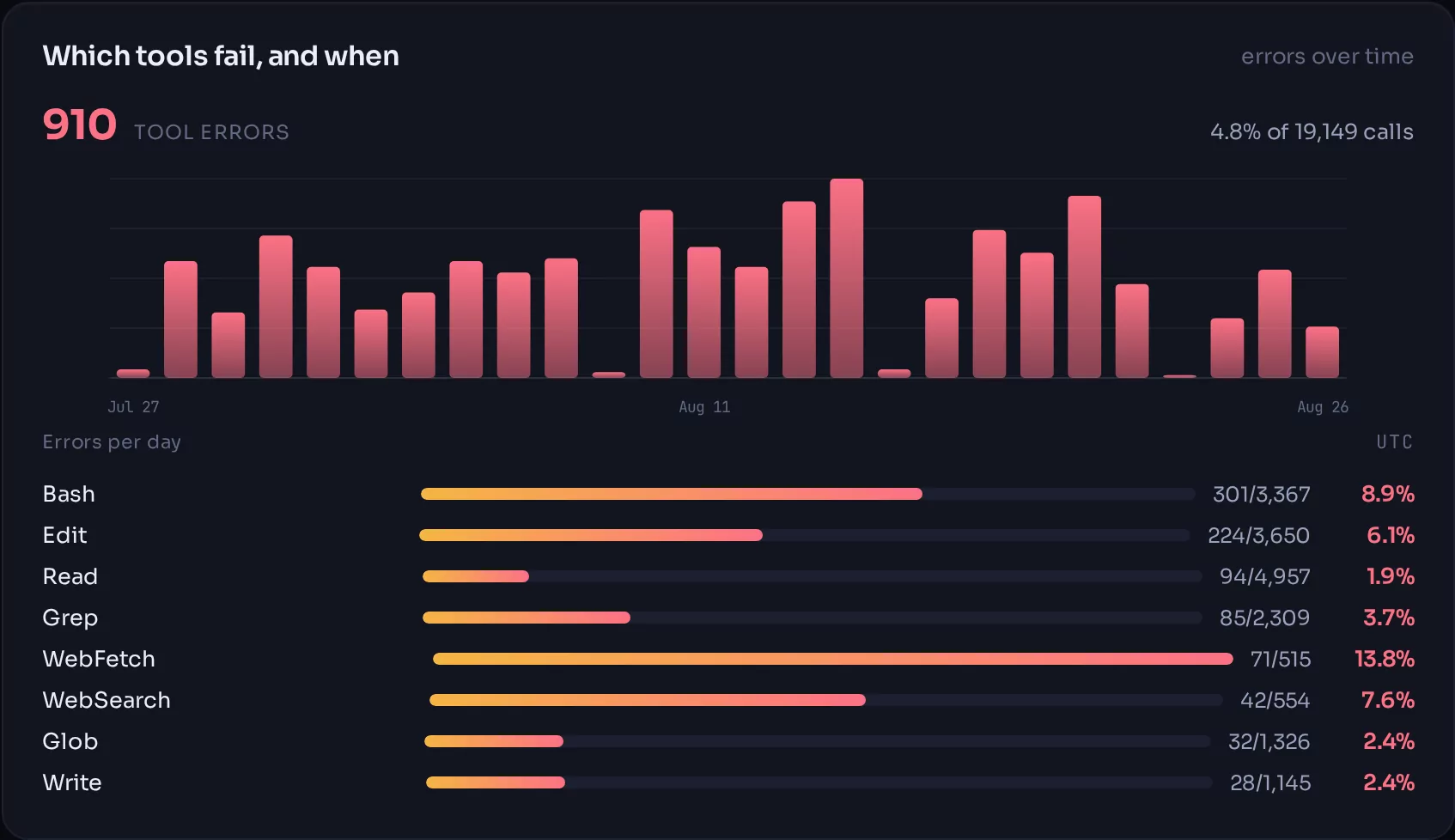
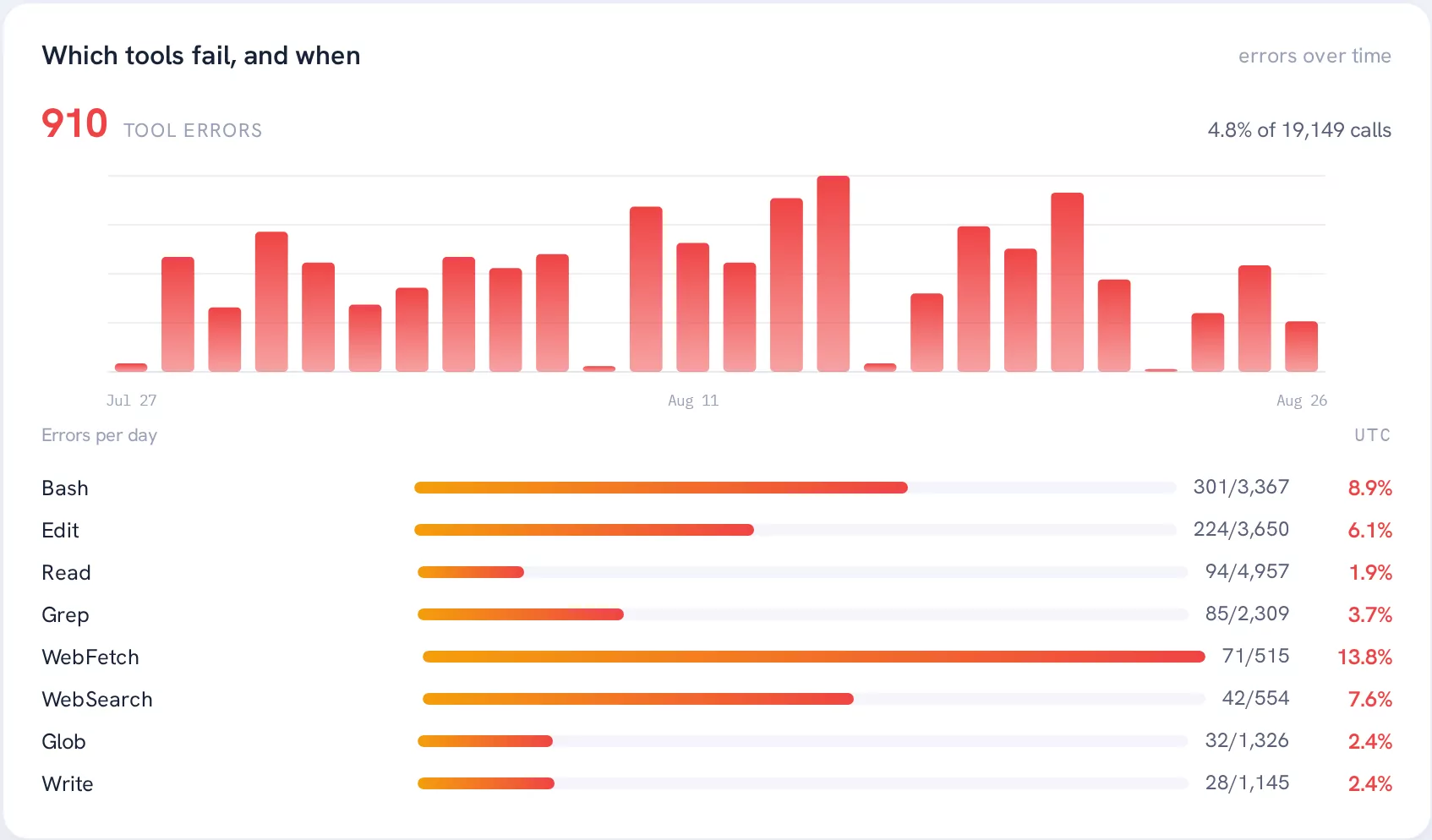
Every plate below is a screenshot of the running product. Seventeen panels ship today.
05 Privacy
The promise and the guarantee are two different things.
The default capture level is metadata only. Richer levels exist, are opt-in per machine, and the highest never leaves your own hardware.
This is enforced in two places on purpose. The agent will not send what the level forbids: that is the promise. The server will not store it either, whatever arrives: that is the guarantee. Both call the same function, because two definitions of "content" would drift, and the day they drift the promise stops matching the guarantee.
| Level | What leaves your machine |
|---|---|
| metadata | Token counts, model ids, timings, tool names, error flags, costs. The default. |
| commands | The above, plus redacted tool inputs. |
| full | The above, plus prompt and response text. Self-hosted only; the hosted service will never accept it. |
Self-hosted builds never phone home for licence validation. A licence check is telemetry, and telemetry in a tool that promises not to look at your code would be self-defeating.
06 Pricing
Free for one developer. Priced for the team that has a budget.
The single-user tool is free and stays free. It is not a trial.
Free
£0Self-host it, or one seat in the cloud when it lands.
- Every dashboard panel, nothing held back
- Unlimited machines, unlimited history
- Full-text session archive, if you turn it on
- Source-available under PolyForm Small Business
Team not yet shipped
Pricing at launchBilled per active member, per month.
- Cursor and API-key spend pulled server-side: invoiced money, not notional
- Per-person and per-team rollups across every tool on one axis
- Budgets, alerts and a weekly digest
- Hosted, with your data in its own database, one per customer
A seat is somebody who actually pushed data that month. Nobody pays for the developer who left in March.
Running a team already and want to talk before it ships? hello@overspill.dev.
07 Roadmap
Honest about what exists.
This is pre-release software. Here is exactly where it is.
Foundation
Shared parser, installable CLI, metadata-only default, the self-host server and its dashboard.
Cursor
A server-side pull from the Cursor Admin API, so the figures are money somebody was billed rather than a rate card applied to a flat-rate plan.
Alerts and a weekly digest
The part you can act on. A dashboard tells you; an alert interrupts you.
Hosted team tier
Seats, budgets and connectors, with one database per customer rather than a shared table and a tenant column. Organisations, members, roles and seats are built and running; billing is not, so there is nothing to buy yet.
08 Questions
Is this open source?
No, and it would be dishonest to imply otherwise. Overspill is source-available under PolyForm Small Business 1.0.0, verbatim. You can read every line, run it, modify it, and use it commercially for free if your company is under 100 people and under $1M in revenue. Above that threshold it needs a licence.
A named, standard licence was chosen deliberately over a bespoke clause: a legal team approves PolyForm on sight and escalates a homebrew paragraph.
Which coding tools does it read?
Claude Code and OpenCode today, both read by the same agent with no extra configuration; a sweep picks up whichever it finds. Claude Code needs Node 20 or newer. OpenCode needs Node 22.5 or newer, because its history is a database and the agent reads it with the SQLite built into Node rather than adding a dependency. On an older Node the agent says so and carries on with Claude Code rather than failing.
Cursor is a server-side pull that is still being built; it needs a team admin key, so it will be a paid-tier feature by construction rather than by choice.
What are the dollar figures, exactly?
For Claude Code they are notional: your tokens priced against the public API rate card. On a flat-rate subscription there is no bill to reduce, so treat them as an API-equivalent measure of what a session, project or person consumed: useful for comparison, not for reconciliation.
Vendor connectors are the opposite: those figures are what was actually charged, stored as integers to the millionth of a cent so a year of rows still reconciles against the invoice. The two are kept in separate tables precisely so the distinction never blurs.
And if a model has no rate card, the dashboard says so in a banner above the headline figure rather than quietly reporting $0.
Can I put the self-hosted dashboard on the internet?
No. The self-host build has no authentication at all. It is designed to sit behind a reverse proxy, a VPN or a tailnet. This is stated as plainly in the README as it is here, because the failure mode is somebody's session history being publicly indexed.
How much data does the agent send?
At the default metadata level, a few kilobytes a day per developer. The agent tracks a byte offset into each transcript file, so a sweep reads only what is new — a full backfill of 66 transcripts and 4,641 events took 0.27 seconds in testing.
What happens to my data if someone leaves?
Every record is keyed to an opaque person id, never an email address. Honouring an erasure request clears one field in one row; the id survives, so a year of spend figures does not silently change because somebody left the company.
Find out what you are actually spending.
Self-host it this afternoon, or leave an address and hear once when the team tier is ready.
or read the quickstart — it takes about five minutes.